Students need a direct path into the task.
Remote classes bog down when you have to explain where to click instead of simply posting the activity and starting.
Innovation was shaped by real remote teaching during the school year. It helps teachers run strong live sessions, launch the right task fast, monitor students live, review proctor records later, and run assessments they can trust, all while plugging into the LMS they already use.
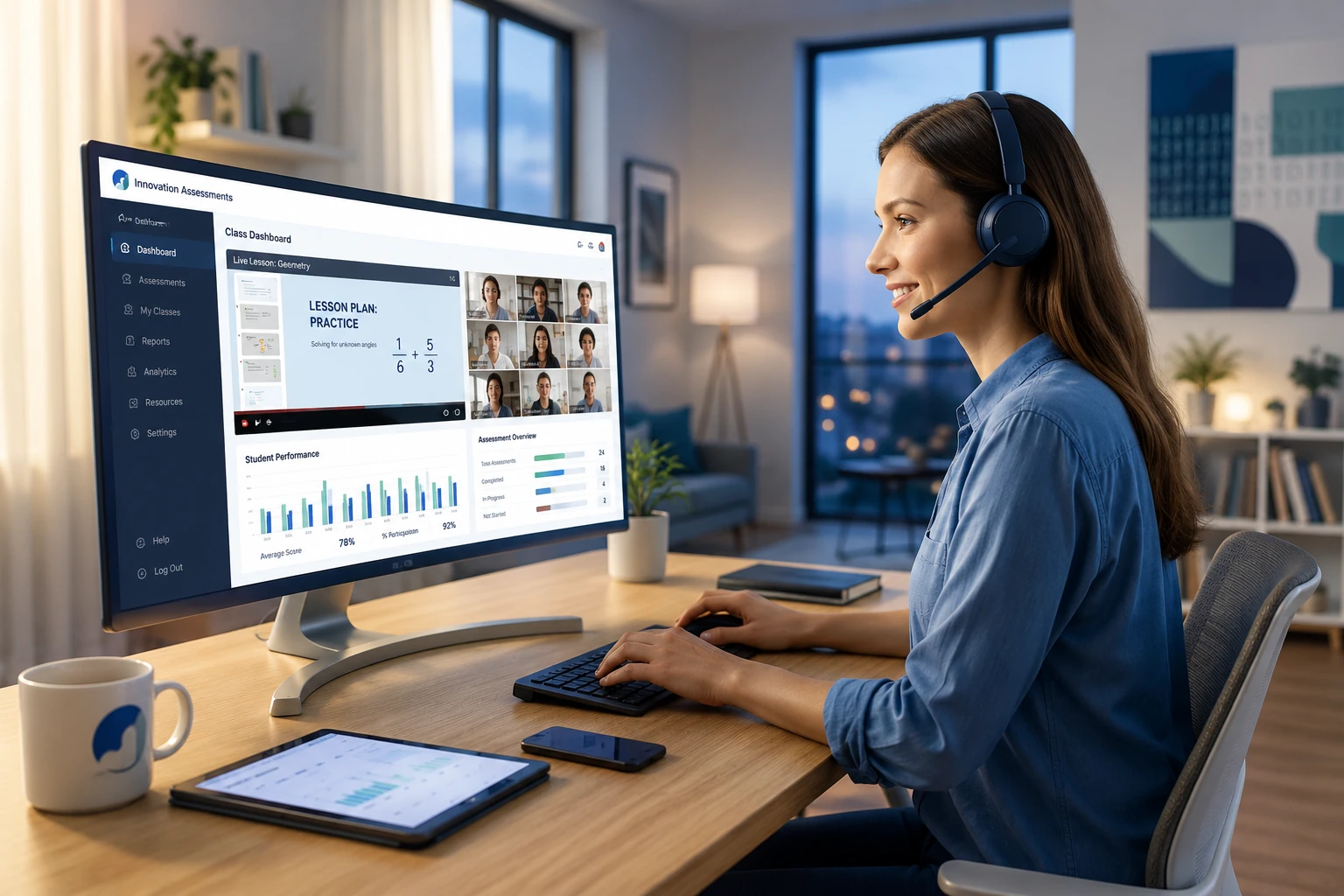
Every class depends on links, screens, and digital handoffs. If it takes too long to get students into the activity, you lose time. If you cannot see what they are doing while they work, you lose visibility. If you cannot trust the assessment, you lose confidence in the result.
Remote classes bog down when you have to explain where to click instead of simply posting the activity and starting.
Remote teachers need to know who is working, who is stuck, who left the page, and what kind of help is needed right now.
Remote assessment gets stronger when the task, the monitor, and the proctor record all help show what students actually did.
Innovation supports teacher-hosted live activities across multiple apps, including slide-based sessions, grammar, writing, test-style play, LinguaLab drills, and Ventura team play. These are not passive links. They are teacher-run sessions with pacing, participation, and live visibility.
This page is not really about features. It is about the jobs remote teachers need to get done during class, after class, and across a whole school year.
Use teacher-hosted live activities for grammar, writing, drill practice, slide-based work, Ventura team play, and test-style sessions that feel more classroom-driven than Kahoot-style code games.
Students log in with their own credentials. That means the teacher can track participation, responses, and follow-up across many different task types instead of losing the record after one session.
When class starts, you can generate a direct task link and drop it into Zoom, Teams, or Google Meet chat so students get into the right activity right away.
Modules can generate link lists for lessons and homework, including direct task links and separate scorecard links so students can come back later to review feedback.
Monitors help you watch progress live, review responses, check whether students are in study or testing mode, and in many cases message individual students while class is still in motion.
Remote teaching improves when you are not limited to a final submission. You can come back later and review activity, progress, submissions, and proctor details in context.
If you teach for more than one school or remote-learning organization, you can keep your own library of materials and plug it into the platform you need to use.
Remote teachers often teach the same lesson more than once. Innovation lets you refine tasks, links, rubrics, and workflows and use them again instead of rebuilding them from scratch.
Monitoring helps you during class. Proctoring helps you understand what happened during and after the task. Remote teachers need both.
Authentic assessment asks students to actually do the skill: write, speak, listen, respond, and think in the moment. Stronger assessment is also more valid and more reliable. It measures the skill you care about under clearer conditions, uses consistent timing and access rules, and leaves the teacher a record to review later.
Timed test environments can control admissions, support readmission when needed, and preserve a proctor record if students leave the tab, leave full screen, or disappear from the browser window. When a human proctor is also present, these conditions become especially strong for trustworthy testing.
Writing tasks are stronger when students have to produce the writing inside the task itself, under time, instead of polishing it elsewhere. Timers, secure-session controls, and proctor records help the teacher judge both the writing and the conditions in which it was produced.
In timed speaking tasks, the prompt can stay hidden until secure recording begins. That matters. Students have to think and speak in the moment instead of using extra time to script, search, or rehearse beyond the limits of the task.
Recorded conversation tasks can use short response-start windows, limited replays, and clear recording limits. When the response has to begin quickly, there is far less time to look something up or over-prepare an answer.
Some assessment environments lean harder on control. Others lean harder on authentic performance. The strongest ones do both, and all of them become more useful when the teacher can review timing, access, and proctor records instead of seeing only a final score.
Remote teachers still need to handle real student needs, including timed accommodations and cases where mechanics should not become the main barrier.
Assessments such as Testapp and Writ can apply additional time so students with accommodations are not forced into a one-size-fits-all clock.
For severe cases where spelling and grammar should not decide the outcome, Writ can license AI Copywriter support so the task remains usable for the student and meaningful for the teacher.
Accommodations do not have to force you into a separate teaching system. Teachers can keep the same core workflow while applying the support certain students need.
Remote teachers often do not use one platform as the final gradebook. They still need strong tools for scoring, review, transfer, and analysis before grades move somewhere else.
The gradebook works well for teachers who still have to move grades into another school system. It supports filtering, searching, export, and audit rather than assuming it is the only gradebook that matters.
Filter by module, task type, and scored status, and use audit views when you need to trace what happened with a student, a task, or a launch path.
Scoring tools support z-score-based adjustment, growth-style comparison, and improvement-oriented review when you need a more analytical view of student performance.
You can download scores, export CSV files, and in key apps download full submissions for outside analysis, record keeping, or department review.
Submissions, score views, and proctor records work better together than isolated grading screens. That matters when you are trying to judge what a student really did at a distance.
Task links and scorecard links help students get back to the work and its feedback later instead of losing that loop after class ends.
Remote teachers often work across multiple schools, sections, or partner organizations. Innovation lets you curate your own materials, task structures, and rubrics instead of rebuilding your teaching identity inside each separate platform.
Teachers in the same organization can already export and import many Innovation tasks. That means colleagues can reuse work instead of each person rebuilding the same assignment alone.
Much of this platform has been shaped by active remote teaching through the school year: launching live tasks, watching students work, reviewing proctor records, handling accommodations, moving grades elsewhere, and building reusable materials that travel from one teaching context to another.